A Stripe revenue widget for Mac, iPhone, and iPad.
Revenue Peek connects to Stripe and puts your earnings total on your desktop or Home Screen, always up to date.

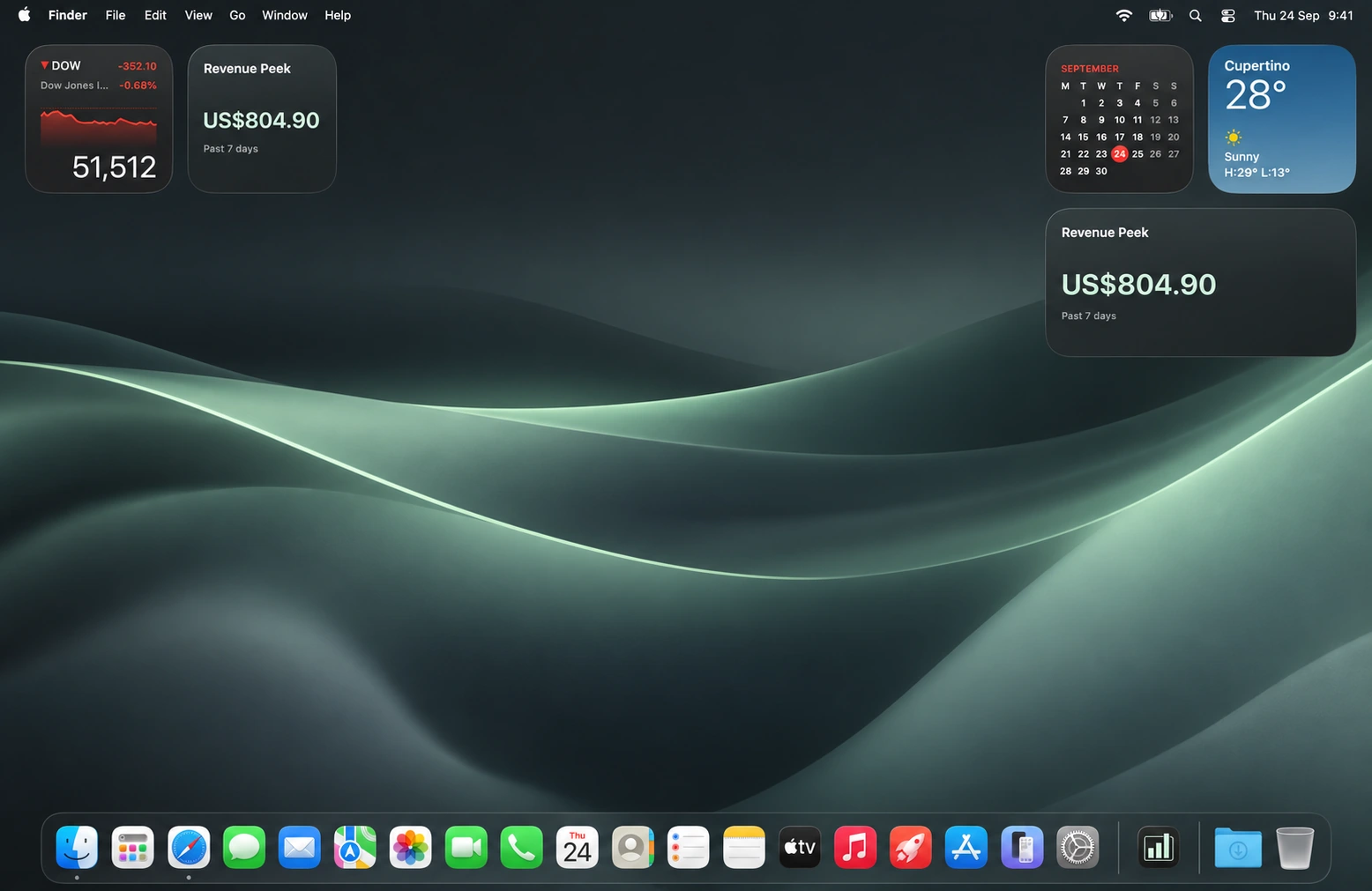
See how business is going without going looking.
Revenue Peek turns your recent Stripe payment activity into a calm, glanceable total. Check the widget between tasks and get on with your day.
Your earnings live where you already look.
Add Revenue Peek to your Mac desktop or your iPhone and iPad Home Screen. Totals refresh in the background, while opening the app gives you an immediate manual refresh.
- Small and medium widgets on Mac.
- Home Screen widgets on iPhone and iPad.
- Automatic and on-demand refreshes.
Connected in three steps.
From Stripe to your desktop in a few moments.
- 01
Create your key
Open Stripe from Revenue Peek. Balance read access is already selected.
- 02
Connect Stripe
Paste your restricted key and choose your settlement currency.
- 03
Add your widget
Choose a size and put your earnings on your desktop or Home Screen.
The right total for the way you work.
A few simple choices. A widget that feels like yours.
Your Stripe key stays on your device.
Revenue Peek connects directly to Stripe using a restricted key with Balance read access. There is no Revenue Peek account, financial-data backend, or cloud key storage.
Read the privacy policy
Buy it once.
Peek anywhere.
One purchase for Mac, iPhone, and iPad.
Before you peek.
Do I need to give Revenue Peek my Stripe password?
No. You create a restricted API key with Balance read access. Revenue Peek never asks for your Stripe password.
Does my financial data pass through a Revenue Peek server?
No. The app requests balance transactions directly from Stripe and calculates the total on your device.
Will my key sync between devices?
No. For security, you enter and store a restricted key independently on each device.
Does Revenue Peek support multiple currencies?
You can choose a settlement currency. Revenue Peek never converts or combines different currencies.
Will the total match every Stripe Dashboard report?
Not necessarily. Revenue Peek uses a documented payment-activity calculation with specific time, currency, and category rules. See how earnings are calculated.
Which Apple devices are supported?
Revenue Peek is available for Mac, iPhone, and iPad with one purchase. The Mac app requires macOS 14 Sonoma or later.
Your earnings.
One glance away.